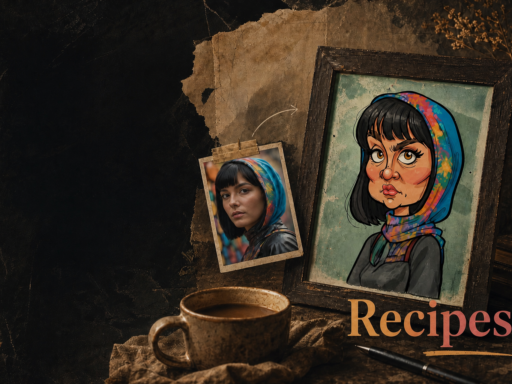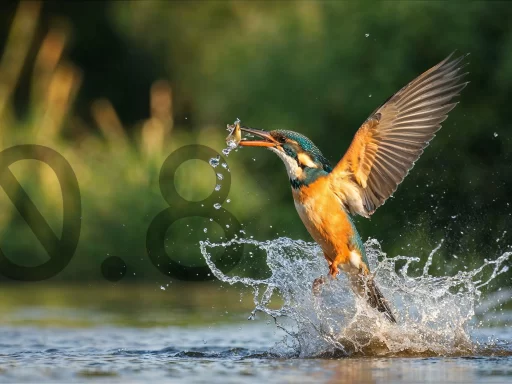

Three prompts. Three models. One page.
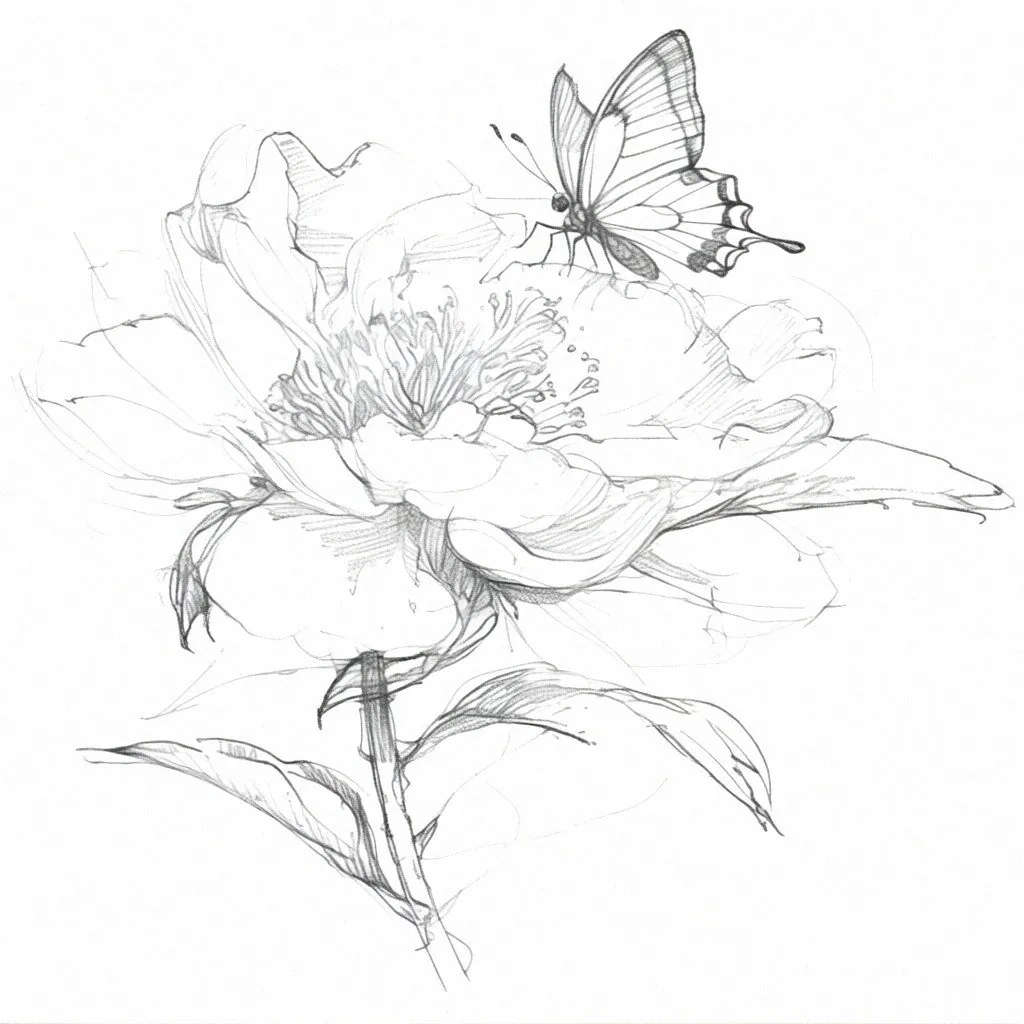
01Hamilton
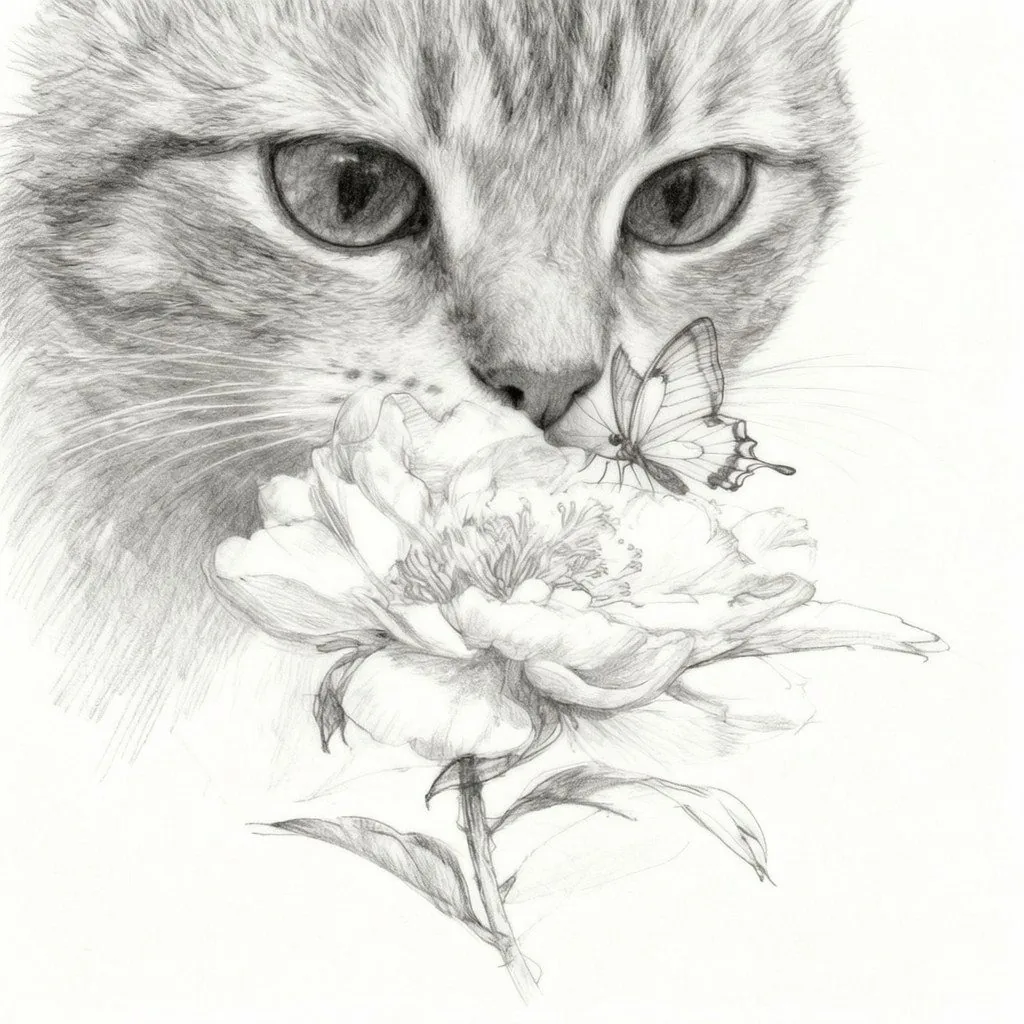
02Seedream 4
03Kling V3
A pencil sketch of a flower. A butterfly resting on it. A curious cat leaning in — and then the whole drawing dissolving into colour and motion. Nothing above was drawn by hand, and nothing ever left the browser tab.
Alberti Studio is one workspace for generating images and video. It runs our own models next to the best models on the market — but the length of that list isn’t the point. Plenty of tools have long lists. The point is that the output of one model becomes the input of the next, without downloading a file, opening a second tool, or uploading anything again.
The video took three prompts. Here they are, in order, with the settings we used.
How that video was made
Step 1 — A sketch that didn’t exist yet
We started from nothing but a description. Hamilton is one of our own models, and it’s the one we reach for when the brief is “make this look like a person made it” — pencil texture, visible construction lines, paper grain.
A clean white sketchbook page with a beautiful hand-drawn pencil illustration of a single blooming flower. A delicate butterfly is resting gently on one of the petals. Everything is monochrome graphite with realistic pencil shading, visible sketch lines and paper texture. The composition is centered, minimalistic and elegant, with plenty of negative space. The artwork looks like it has just been finished by an artist. Ultra-detailed pencil drawing, photorealistic paper texture, soft natural lighting, square composition (1:1), premium advertising quality.
Step 2 — Add a cat, change nothing else
The second prompt went to Seedream 4. It took the finished sketch as its starting point and put a cat’s face behind the flower in the same graphite style. The flower, the butterfly and the camera angle stayed exactly where they were.
Worth pausing on the boring part of that sentence: we didn’t re-upload the sketch. It was already there, in Existing artworks, one click away. That sounds like a small convenience until you’ve spent an afternoon exporting from one tool and importing into another.
The exact same pencil sketch from the first image, preserving the same flower, butterfly and camera angle. A curious huge cat-face close-up has now appeared behind the flower, also drawn in the same realistic graphite pencil style. The cat is slowly leaning toward the flower with its nose close to the petals, showing curiosity. The butterfly remains calmly resting on the flower. Everything is still a monochrome pencil sketch with detailed shading, visible graphite strokes and sketchbook paper texture. Minimal composition, premium advertising style, square 1:1.
Step 3 — Make it move
The third prompt went to Kling V3, using the sketch as the first frame. Video prompts are longer than image prompts — you’re describing time, not just a picture — so here is the whole thing, unedited.
Continue seamlessly from the previous image. The pencil sketch begins an extraordinary transformation. Fine graphite lines shimmer, lift from the paper as floating graphite dust, and dissolve into thousands of glowing particles. As if powered by imagination itself, the sketch transforms into an ultra-realistic world. Rich colour blooms naturally across the scene — the flower becomes a vibrant deep red, while the butterfly's wings reveal brilliant iridescent colours. Every pencil stroke melts into lifelike textures with breathtaking realism.

The camera performs a dramatic cinematic push-in, diving from the flat sketch into a fully three-dimensional world. It smoothly orbits around the flower with elegant parallax, creating the feeling of entering a living illustration. Tiny graphite particles swirl through the air before transforming into magical glowing dust.

A curious cat slowly approaches and gently sniffs the flower. Tiny golden pollen particles float toward its nose. The cat pauses for a moment, then lets out one irresistibly cute sneeze.

The sneeze becomes the magical trigger. A soft shockwave ripples through the scene, the last remaining pencil lines explode into shimmering graphite dust, and reality fully blossoms. Startled, the butterfly instantly flutters its wings and gracefully takes flight. The camera dynamically follows the butterfly in one seamless, elegant movement as it flies around the cat before soaring upward. The flower gently sways, a few petals drift through the air, and warm rays of sunlight stream through the scene, creating beautiful volumetric light and cinematic bokeh.

The cat looks up with wide, curious eyes, watching the butterfly disappear into the glowing light. The entire sequence should evoke a profound sense of wonder, magic and childlike amazement — as though a simple pencil sketch has miraculously come to life.

Ultra-realistic, cinematic masterpiece, impossible camera movement, seamless transitions, premium CGI quality, realistic physics, dramatic depth of field, soft slow motion at key moments, volumetric lighting, magical particles, emotionally captivating visual storytelling. Duration: 5–7 seconds, square (1:1).
Show the full video prompt
Three prompts. Three models, from three different places — one of them ours. One tab, one subscription, one credit balance.
When the image is almost right
This is the part nobody puts in a showcase, and it’s the part you’ll actually live in. You generate something, it’s ninety-five percent there, and one detail is wrong.
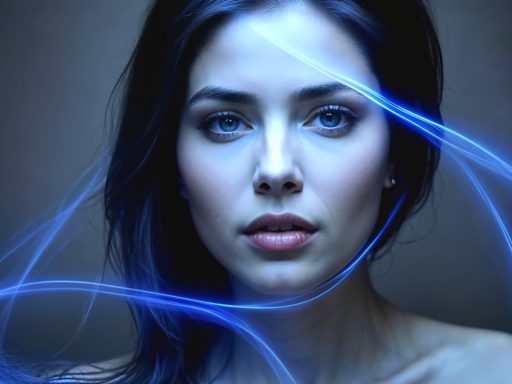
The portrait below came out of Quantum, one of our own models. We liked all of it except the lipstick. So we handed it to Grok Imagine — a different model, same page — and typed three words. No mask, no photo editor, no rolling the dice on a fresh generation.
remove red lipstick
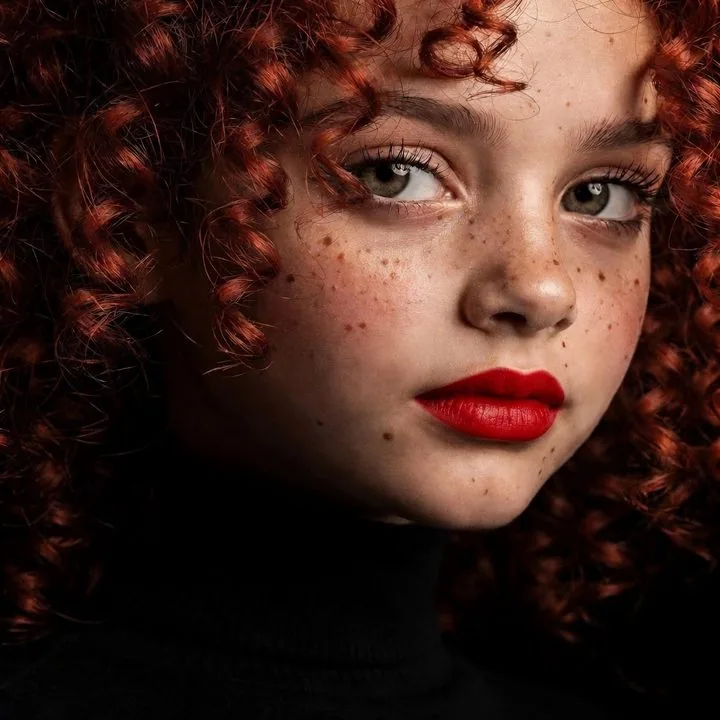
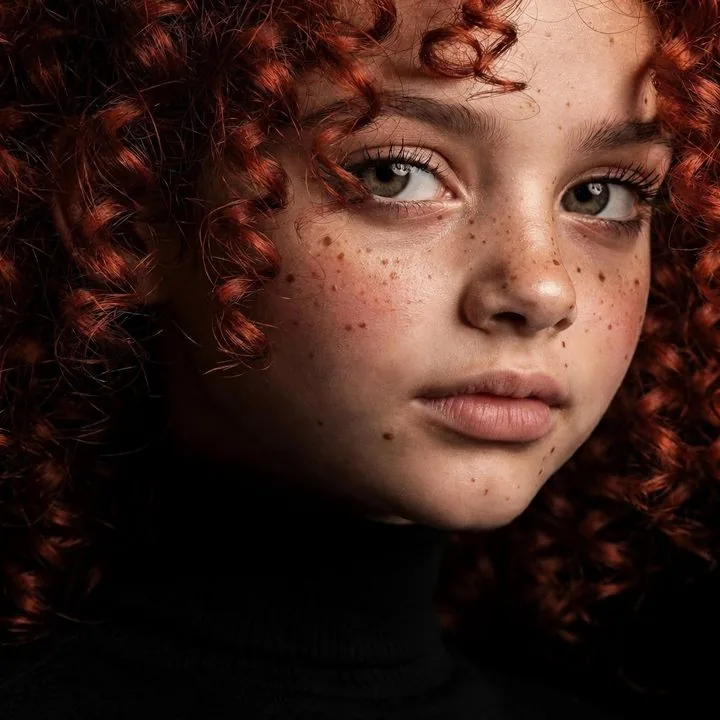
The freckles, the curls, the light on the cheekbone, the exact tilt of the head — all still there. Regenerating would have cost you every one of them. And notice which model did what: ours made the picture, someone else’s fixed it. You don’t have to pick a side.
The same prompt, a different model
Models disagree. Give six of them the same sentence and you get six defensible answers — one warmer, one sharper, one that reads the composition differently. Having them side by side isn’t a luxury; it’s how you stop guessing which one to use.
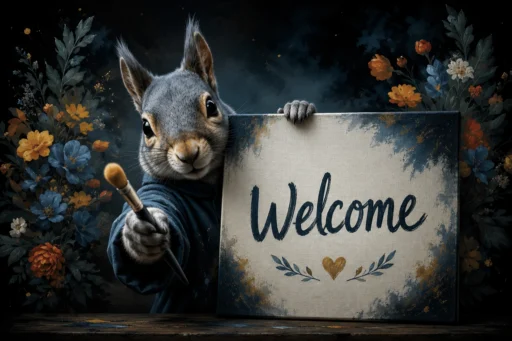
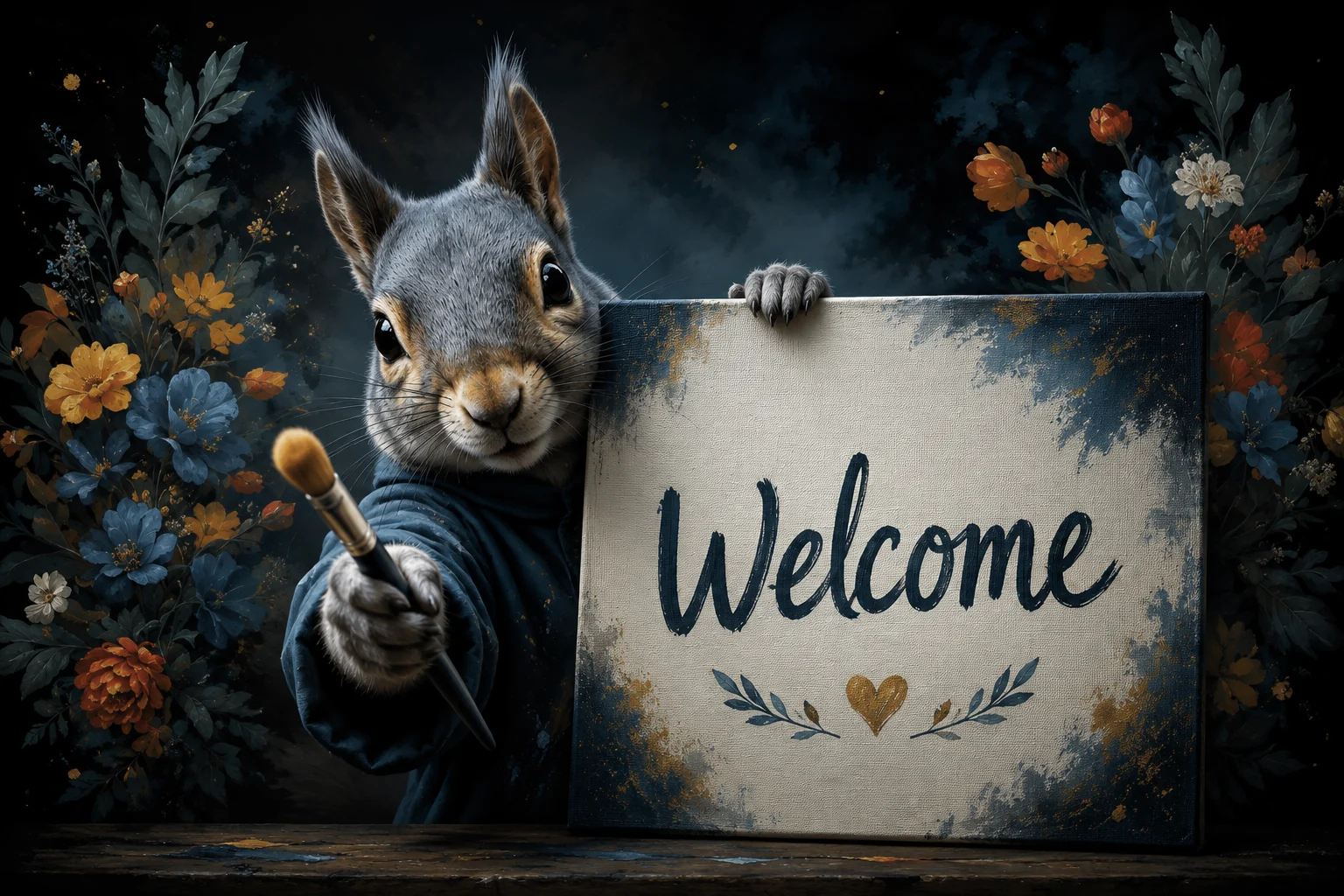
So we didn’t pick an easy prompt. This one asks for three things models routinely get wrong at once: a word spelled correctly inside the image, a paw holding an object, and something held out toward the camera. Pretty landscapes all look alike. This doesn’t.
A photorealistic red squirrel peeking out from behind a painter's canvas on a wooden easel, seen from the viewer's point of view. One paw grips the top edge of the canvas; the other reaches forward, holding out a paintbrush toward the camera, offering it to the viewer. The painted front of the canvas faces us, and the single word "Creativity" is painted across it in thick, wet brushstrokes. Highly detailed fur, natural studio light, shallow depth of field, sharp focus on the squirrel's eyes and on the brush. Square composition (1:1).
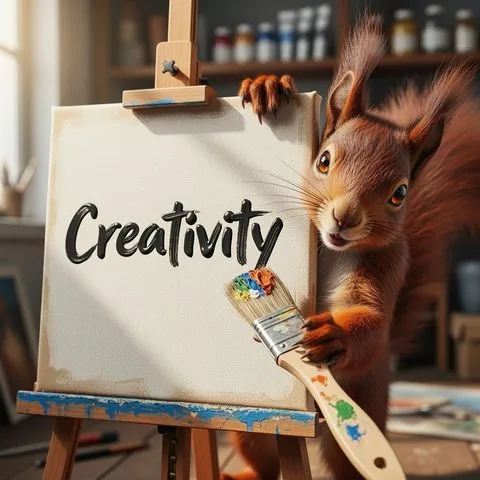
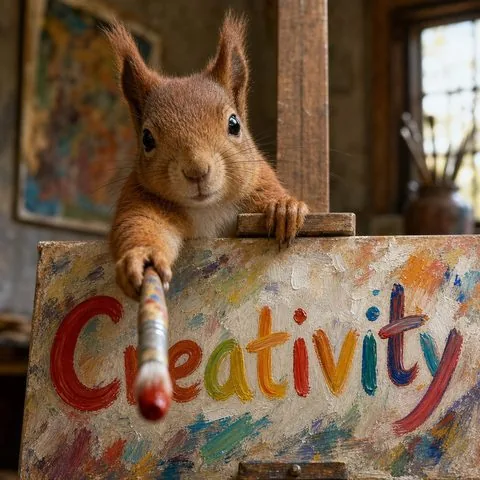
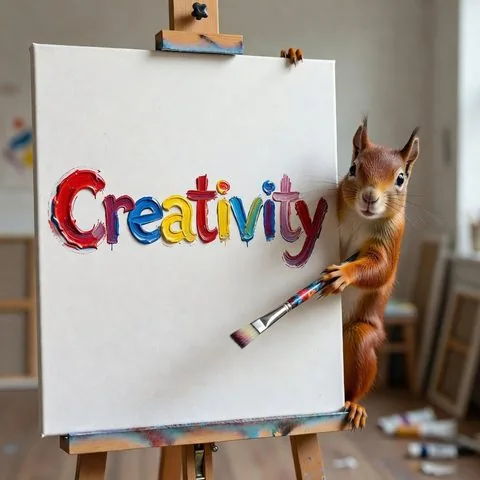
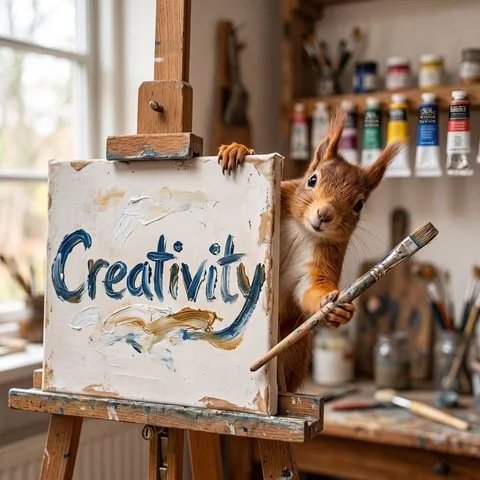
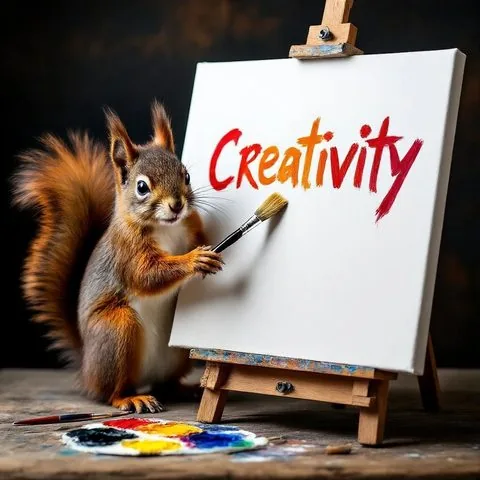
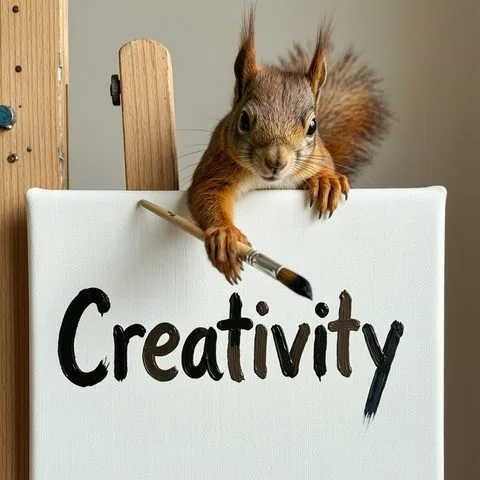
All six spelled the word. A year ago that alone would have been the story; it isn’t any more. Look instead at what each one did with the rest of the sentence — who put a paw on the top edge of the canvas, who actually held the brush out toward you, who built a whole studio behind the animal and who left the wall bare. One prompt, six readings, and none of them wrong.
One of the six, Quantum, is ours. We ran it on its Photographer style, and we left it in the line-up in alphabetical order rather than at the front, because the point of this grid isn’t that our model wins. It’s that you get to look at six answers before you commit to one.
When there’s no image to start from
The sketch-to-video route needs a picture first. You can also skip straight to motion and describe the shot itself — and since we were already writing one prompt, we ran it through two video models instead of one.
One continuous aerial take, five seconds, no cuts.

0–2s — A fast vertical plunge down a jagged volcanic cliff at golden hour. The rock wall rushes past in the left third of the frame; below, white surf breaks against black rock and the ocean burns copper. The horizon and the low sun sit in the upper third. The camera locks onto the water rushing up to meet it. The sea surface is calm and empty. The shot reads as if it is about to hit the water.

2–3s — In a single frame, with no build-up, the head of a great white shark bursts straight up out of that calm water and fills the frame. Jaws wide, teeth and pink gum lit by the low sun, water sheeting off its snout. The lens is close enough to be inside the bite.

3–4s — The camera is yanked upward. The movement is instinctive rather than planned: a violent over-correction, the frame rolling past level, the horizon swinging through the shot, heavy motion blur smearing rock and sea, half a second of unsteadiness before it recovers. It reads as a pilot saving the drone, not as a choreographed move.

4–5s — Altitude. From high above, the coastline opens out: black cliffs, copper water, long sunset light. Far below, the shark's tail slaps the surface once and slides back under the foam.

Photorealistic live action, shot on a cinema drone, real camera behaviour, natural motion blur, physically accurate water and spray, volumetric golden-hour light. Rule of thirds held throughout. Single continuous take, real-time speed.
Same words, same settings, one attempt each — and they diverge on the one thing the prompt cared about most: the surprise. Seedance keeps the water empty right up to the strike, so the jaws arrive out of nothing; Kling lets the shark break the surface about a second early, which trades the shock for a beat of dread. Watch the recovery too. Both cameras get yanked, but they panic differently.
What’s actually in there
Video. Seedance, Veo, Kling, Grok Imagine, Happy Horse and Wan — text to video and image to video.
Image. Nanobanana, Flux, GPT Image, Grok, Qwen Image, Seedream, Wan and Z-Image Turbo.
Ours. Selena, Selena Variété, Hamilton, Photo Pilot and Quantum — plus the tools: face swap, Face Refiner, background removal and upscaling.
One subscription covers all of it — no per-model add-on, and no separate video plan. There are four of them: Starter, Builder, Pro and Studio, differing in how many credits you get each month and how much you can run at once. The Studio plan also opens the API, with keys and webhooks.
None of this is meant to stand still. We look at new models as they come out and try to bring in the ones that earn their place, and we keep working on our own alongside them — new tools, and better versions of the ones already here. If something you need isn’t in the studio yet, tell us; a good part of what’s listed above arrived that way.
Worth knowing before you start
- Your account and everything you generate are stored in the EU.
- We’re building a dedicated long-term secured storage space, and it’s the next big thing on our roadmap. Until it ships, generated artworks stay on the artwork-history page for 7 days, each one showing its own “available until” date — so download whatever you want to keep.
- The line-up above is what’s in the studio today.
If you came from Tengrai
Alberti Studio is built and run by the same company as Tengrai. It isn’t a different company, and it isn’t the same tool with a new name — it’s what Tengrai grew into, with everything on this page added on top.
What moves with you. Your Tengrai member status comes with you, and on Alberti Studio you get a monthly refreshable credit allowance that corresponds to your Tengrai plan. Same email address, and no card is needed until your first purchase here.
Where you work from now on. Everything you did on Tengrai, you can do on Alberti Studio. On top of that, the wider model line-up, the hand-off between models you saw above and video generation all run on the new platform — which is why new work is made here from the moment you transfer.
What doesn’t happen by itself. Transferring does not cancel your Tengrai subscription. It keeps billing on Tengrai’s own payment provider until you cancel it yourself — or until you take your first Alberti plan, which schedules it to end when its paid period runs out. Worth checking either way, so you aren’t paying for two things at once.
Your old work. What you made on Tengrai stays safe on tengr.ai — depending on your plan, for up to 1 year from the date it was generated. We’ll let you know in good time before anything changes, so there’s room to download whatever matters to you.
The member offer. Once you transfer, you generate here on Alberti Studio — this is where the video models, the wider line-up and everything else on this page live. As a Tengrai member you get 30% off any Alberti Studio plan and 80% off generation on our own models, both running until 10 August 2027.
Never took a paid plan on Tengrai? If your account was registered but you never subscribed, you can still start here — the first month is free on Starter, Builder or Pro.
Full details in the Member Program Terms, or move your account over.
Start with one prompt
The sketch at the top of this page took about a minute to describe. Everything after that was the models doing the work. If you want to see what a plan includes first, the plans are here.